
GrooveFX · The drum beat game
BeatFX
See it fall. Hit it. Nail it.
The drum beat game made for practice. Grooves, fills and the songs you made in DrumFX fall onto the drums of a 3D kit. Listen once, then play it on your kit, and every hit is judged to the millisecond.
How a run goes
Listen once. Then it’s your turn.
-
1 Pick A groove, a fill, a whole routine, or a song of yours from DrumFX.
-
2 Listen BeatFX plays it for you first. Watch which drum each column lands on.
-
3 Play It counts you in. Hit each note as it meets the line.
-
4 Get a grade S, A, B or C, and your best run is kept. Then go again, faster.
Inside BeatFX
A game you get better at drums by.
-
Pick
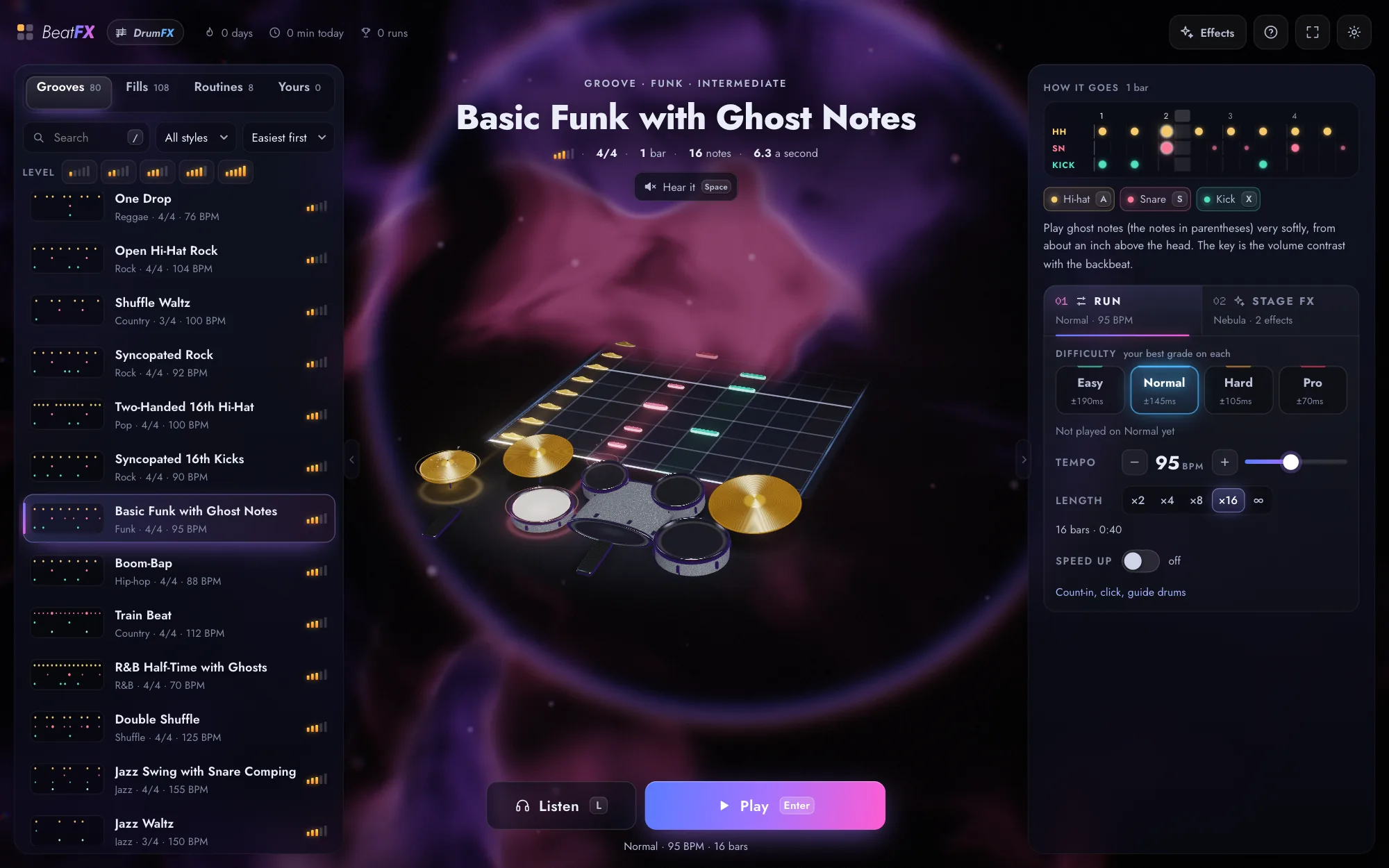
Over 500 things to play.
448 grooves, 280 fills and 32 ready-made routines, easiest first, each drawn on a small step grid. Press Space to hear one on the stage before you choose it.
-
The run
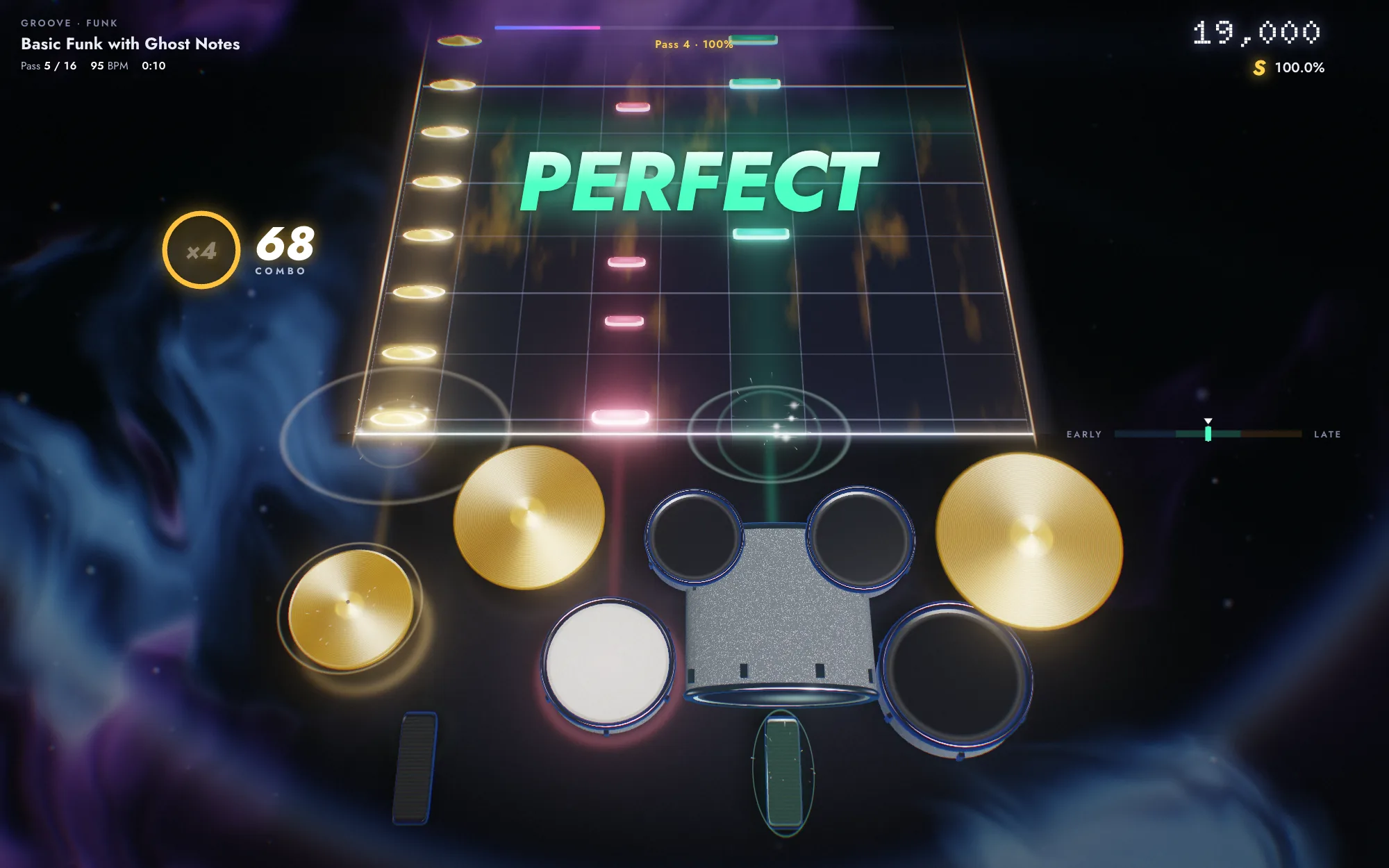
The notes fall onto the drums.
Nine columns in the order of a kit, each one landing on its own drum of a 3D kit, so your eyes learn where your hands go. Ten in a row doubles the points, 25 triples them, and 50 is Fever.
-
Your kit
Play it on your electronic kit.
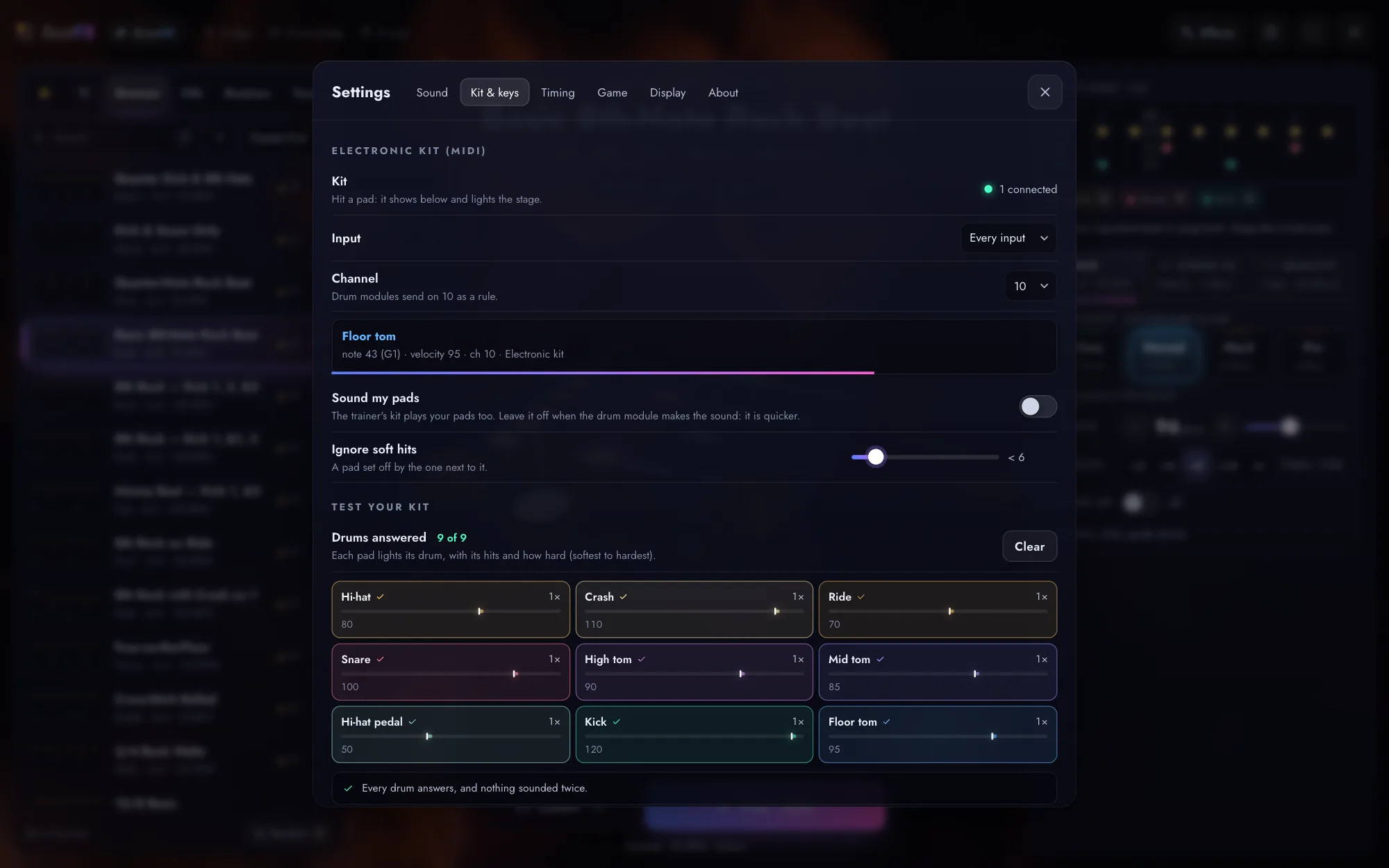
Plug in any electronic drum kit over MIDI: its pads play the drums they are, and every hit lands on the 3D kit and is judged. Test your kit in Settings → Kit & keys lights every pad and finds double triggers and crosstalk, with the fix. No kit to hand? The keyboard and a touch screen play too.
-
Results
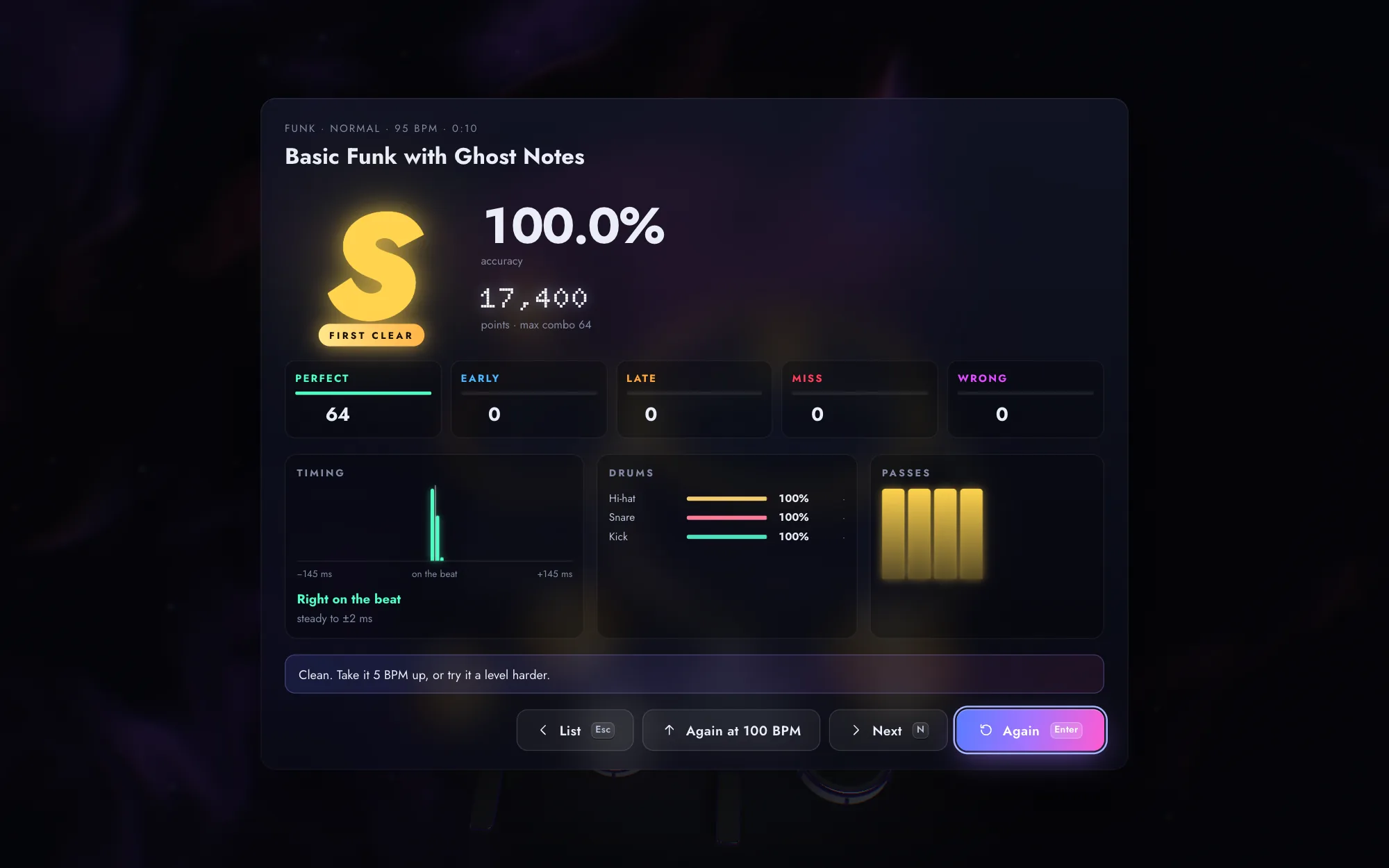
Every hit, judged.
Perfect, Early, Late, Miss, or Wrong for a hit where none was due, to the millisecond. A run ends on a grade from S to C, with where you rushed and where you dragged. Your best stays.
-
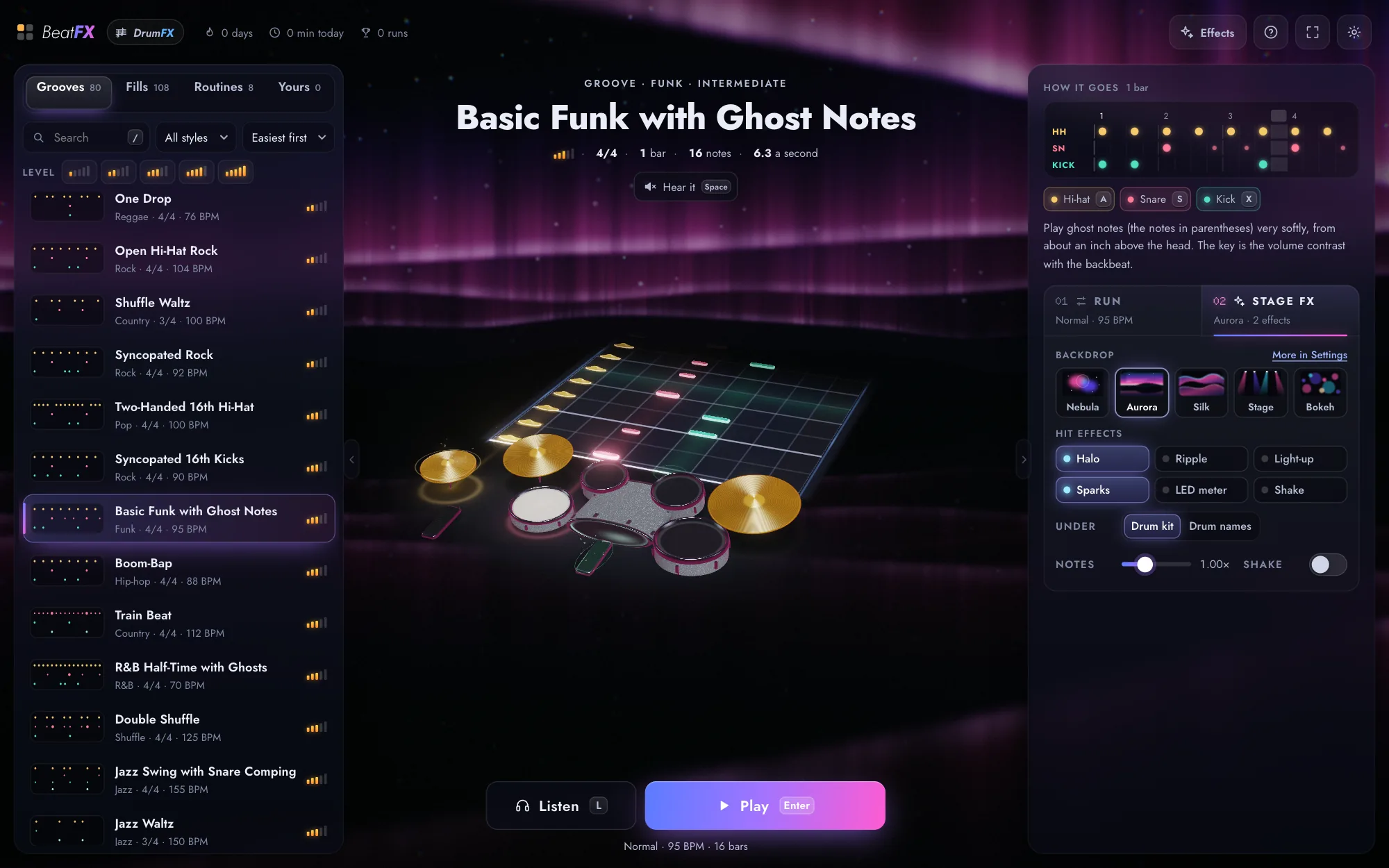
Stage FX
Make the stage yours.
Five backdrops that move on the beat: Nebula, Aurora, Silk, Stage and Bokeh. Six hit effects from a halo round the neon rims to sparks, seven colour schemes for the notes and the kit's neon, and ten kits, each with its own sound. Five Quality steps, from Eco for an older laptop to Ultra, set how much the stage draws.
-
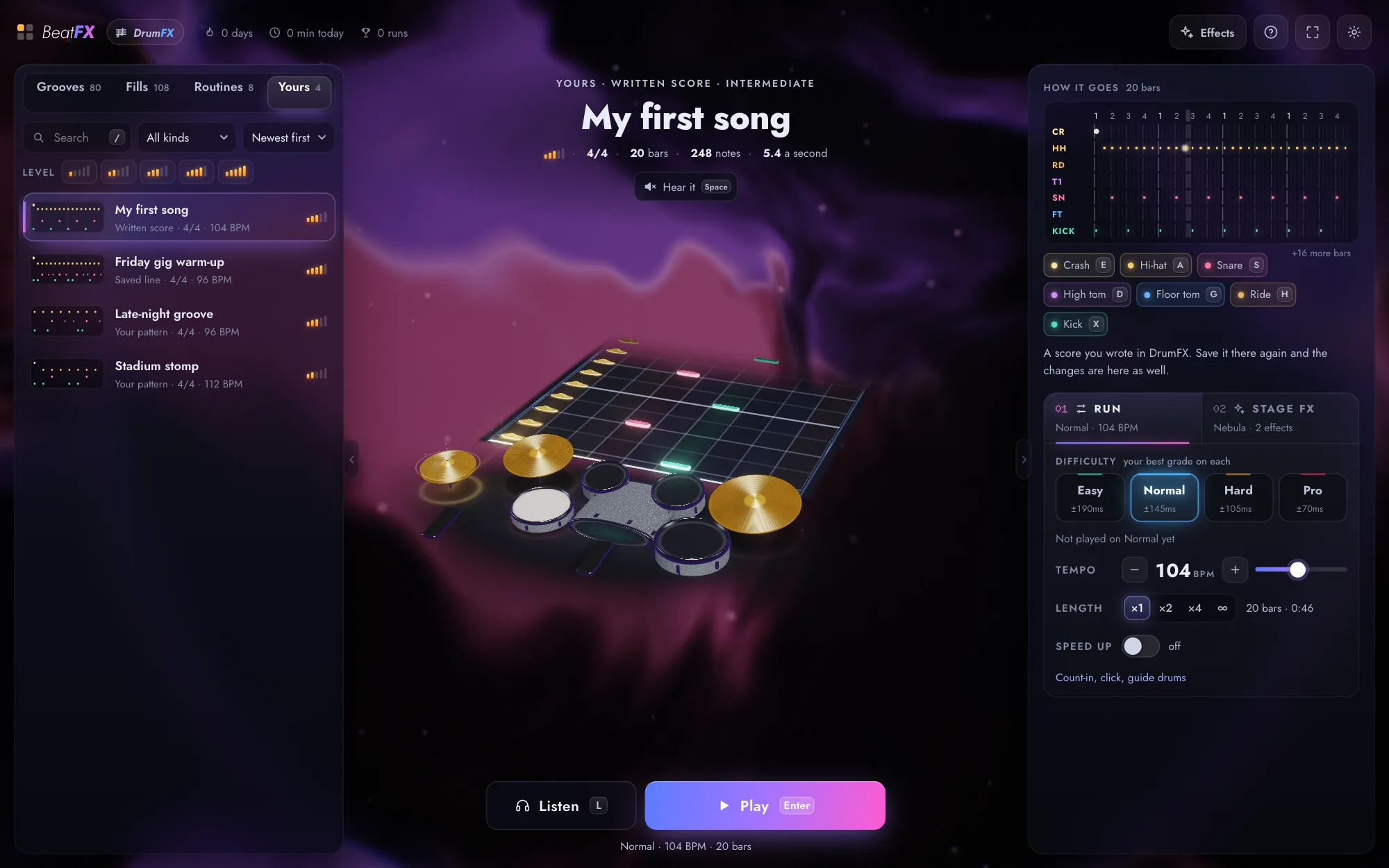
Yours
Your DrumFX songs, ready to play.
Import a song or write a groove in DrumFX and it is on BeatFX’s Yours shelf, live, even from another tab. Practice the part you wrote until it is in your hands.
Four levels
From your first groove to studio tight.
A level sets how close to the note a hit must land: inside the bright zone it is Perfect, inside the window Early or Late. Turn on Speed up and each clean pass goes a few BPM faster.
- Easy ±70 ms perfect · ±190 ms window Any tom counts for any tom, the crash and the ride for each other.
- Normal ±50 ms perfect · ±145 ms window Every drum as written.
- Hard ±35 ms perfect · ±105 ms window Where a groove starts to feel locked in.
- Pro ±22 ms perfect · ±70 ms window Studio tight.
Ways to play
On your kit, your keyboard or your screen.
-
An electronic kit
Plug in any electronic drum kit and connect it in Settings → Kit & keys. Its pads play the drums they are, and a pad that double-triggers still counts as one hit. Test your kit there lights every pad you hit and finds double triggers and crosstalk, with the fix.
-
The keyboard
Nine keys for nine drums: A for the hi-hat, S for the snare, X for the kick, D, F and G for the toms, E and H for the cymbals, Z for the pedal.
-
A touch screen
On a tablet or a phone, tap the drums where the notes land: a pattern learned anywhere, before you sit at the kit.
 Also from GrooveFX
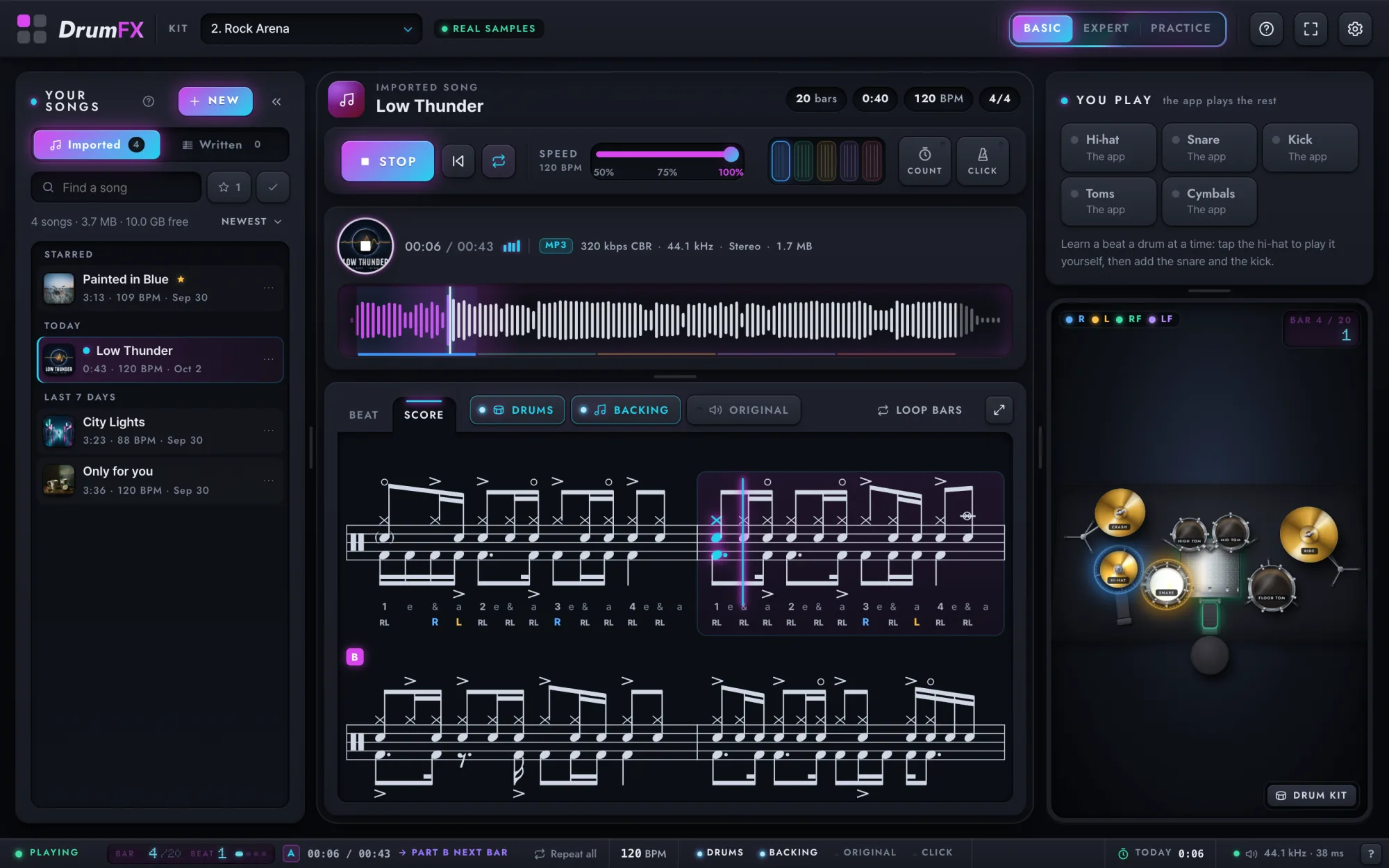
DrumFX
Want to play a song you love? Drop its MP3 into DrumFX: it takes the drums out and writes them down, and the song is on your Yours shelf here.
What DrumFX does
Also from GrooveFX
DrumKlass
Want the groove under your hands before you play for points? DrumKlass is the course: 111 lessons from your first stroke to intermediate, practised slowly and brought up to tempo.
How DrumKlass teaches
Also from GrooveFX
DrumFX
Want to play a song you love? Drop its MP3 into DrumFX: it takes the drums out and writes them down, and the song is on your Yours shelf here.
What DrumFX does
Also from GrooveFX
DrumKlass
Want the groove under your hands before you play for points? DrumKlass is the course: 111 lessons from your first stroke to intermediate, practised slowly and brought up to tempo.
How DrumKlass teaches
Count in. Play.
Free, in your browser. A MIDI kit, a keyboard or a touch screen is all it takes.